Files in,
the finance pack out.
From the exports your systems already produce to the monthly finance pack and a data room, in one build on your own machines.
One month's data, from the exports to the pack
Five stages, every month: the exports arrive, land in the data room, read through one mapping, go through one build and come out as the pack.
The exports your systems already make
Accounting, HR, time tracking and the CRM already export what the pack needs. There is no connector to build and no new software for the team.
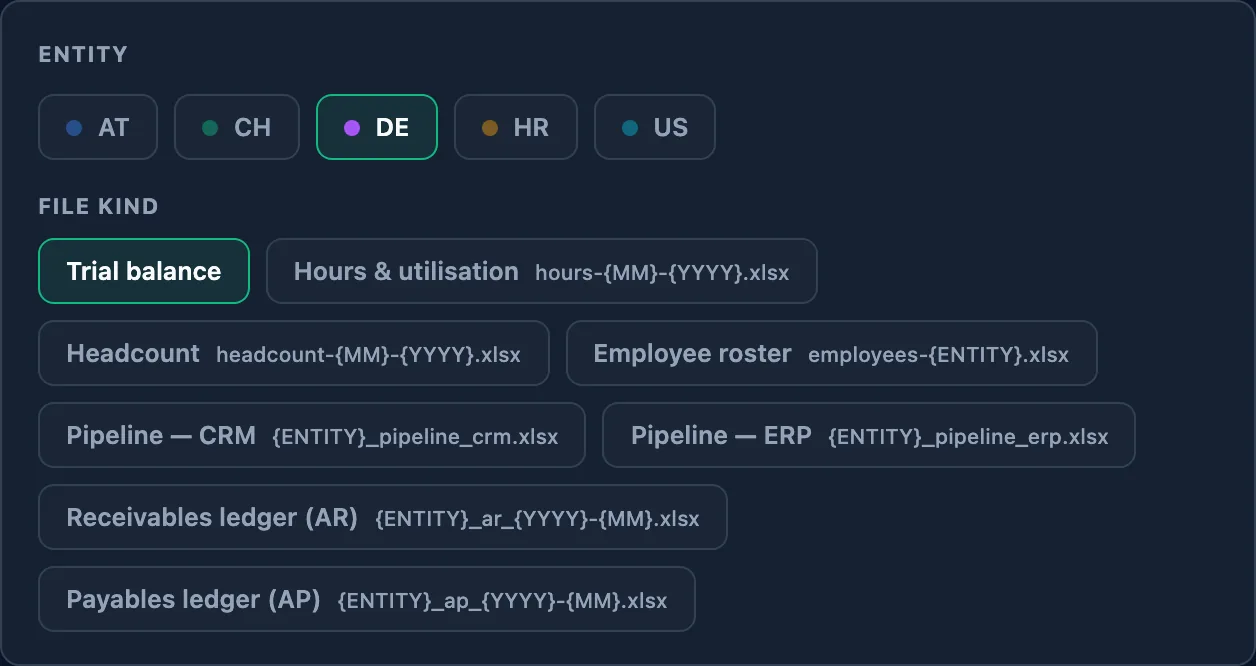
Every file in its place
Each export has its folder and its name. The data room is the working structure from the first month, and the record a buyer, a bank or an auditor opens later.
- 1-Financial
- Entity A · Entity B · Group
- Trial balances
- Management accounts
- Quality of earnings
- 3-HR-Workforce
- Headcount · payroll · roster
- 5-Commercial
- Revenue by client · pipeline
- … built as part of the work
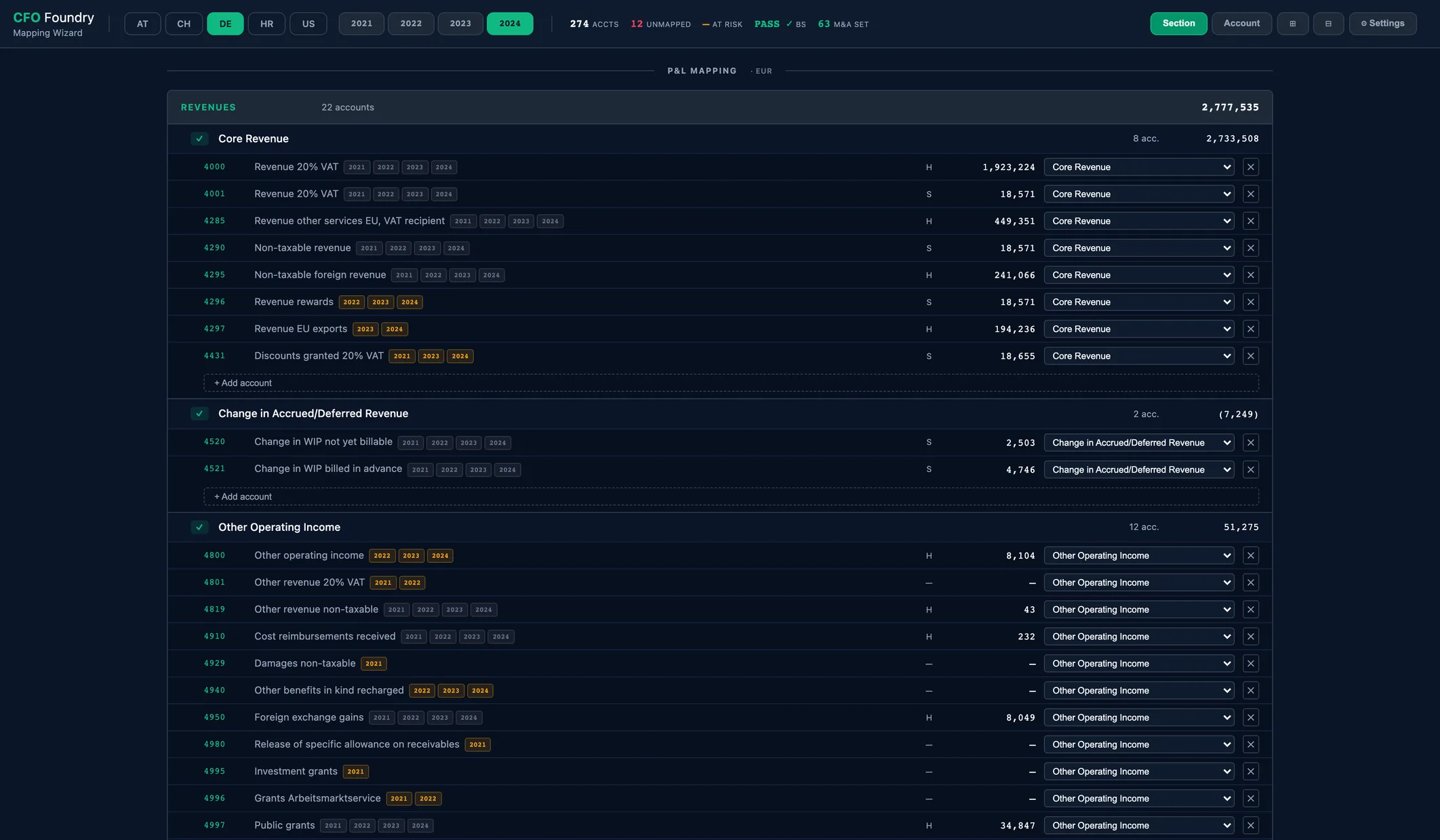
Every account mapped once, to one standard chart
Each company's chart of accounts is mapped once in the mapping wizard. From then on every month reads the same way, across entities and years.
A late booking is a rebuild, not rework
The engine reads the data room on your machine. A run takes about four seconds per company, so a late correction is simply one more, and every page and workbook follows. Each run, by the same rules:
- Read the intake
- Apply the account mapping
- Consolidate, with FX
- Eliminate intercompany
- Compute every KPI
The pack, the workbooks, the decks and the room
Every build writes the full report, the Excel workbooks, the board and M&A decks and the data room checklist, and files them back into the room. Each reader opens a sealed copy with their own views.
4 steps a month
- 1The files land the exports reach their place in the data room
- 2Build one click in the operator app
- 3Filed reports and workbooks land in their data room folders
- 4The review the month's figures read together, decisions taken
What goes in, what comes out
What goes in
What comes out
The reports are as good as the numbers going in
CFO Foundry reads the books as they are kept. Behind every view there is good practice inside the company:
Chart of Accounts
Kept deliberately and structured so the reports can read it.
Bookings
Handled so one month compares to the next: accruals monthly, conventions agreed with the Steuerberater.
Data Ownership
HR, hours, pipeline, client data and cost centres, each with an owner who delivers in a defined shape.
Handover Paths
A defined way data leaves your systems and reaches its place in the data room, month after month.
That is finance work; the set-up puts it in place.
It runs on your machines, in ordinary files: Trust & Data →