Reports in your own colours and font
The company's colours, surfaces and font are set as design tokens in the operator app, and every report takes them on its next build.
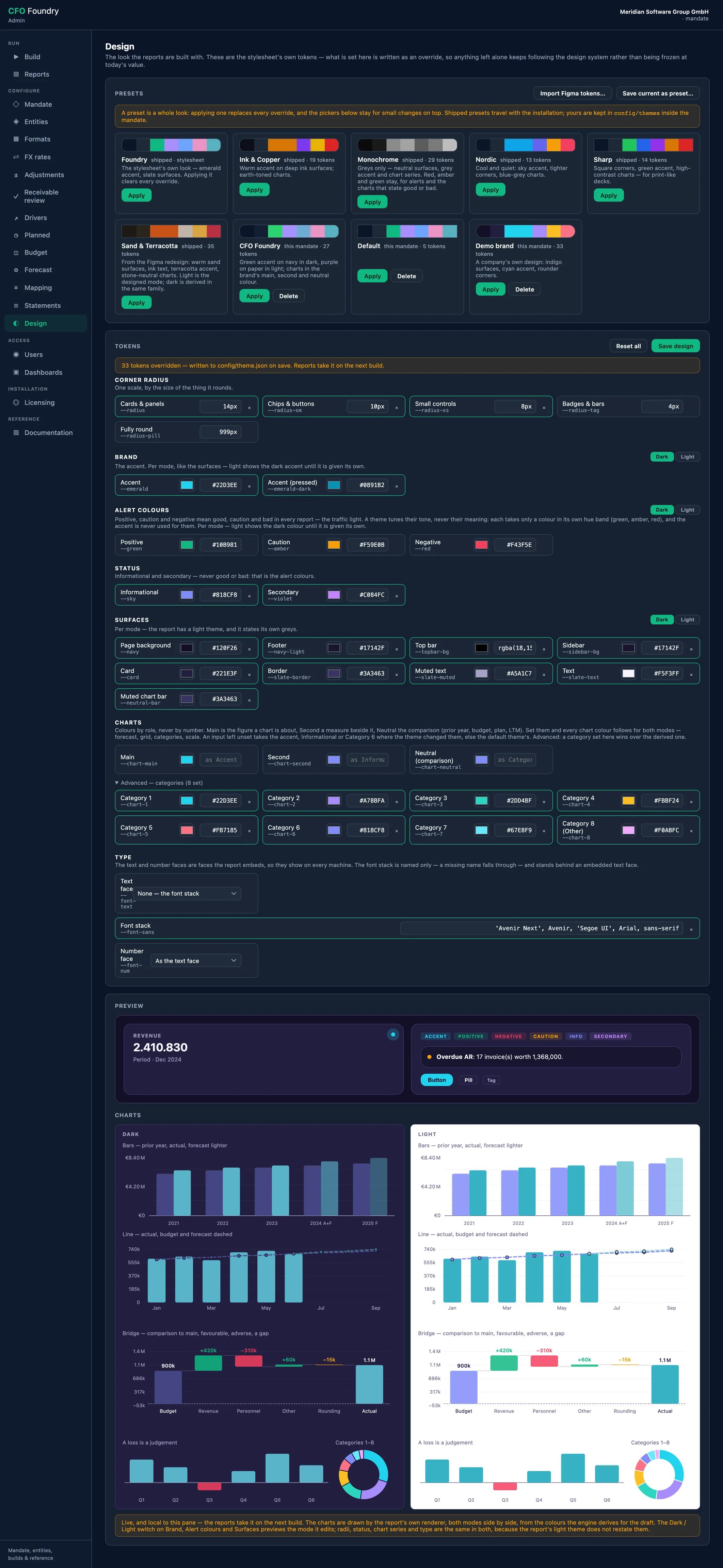
- Configure
- Design
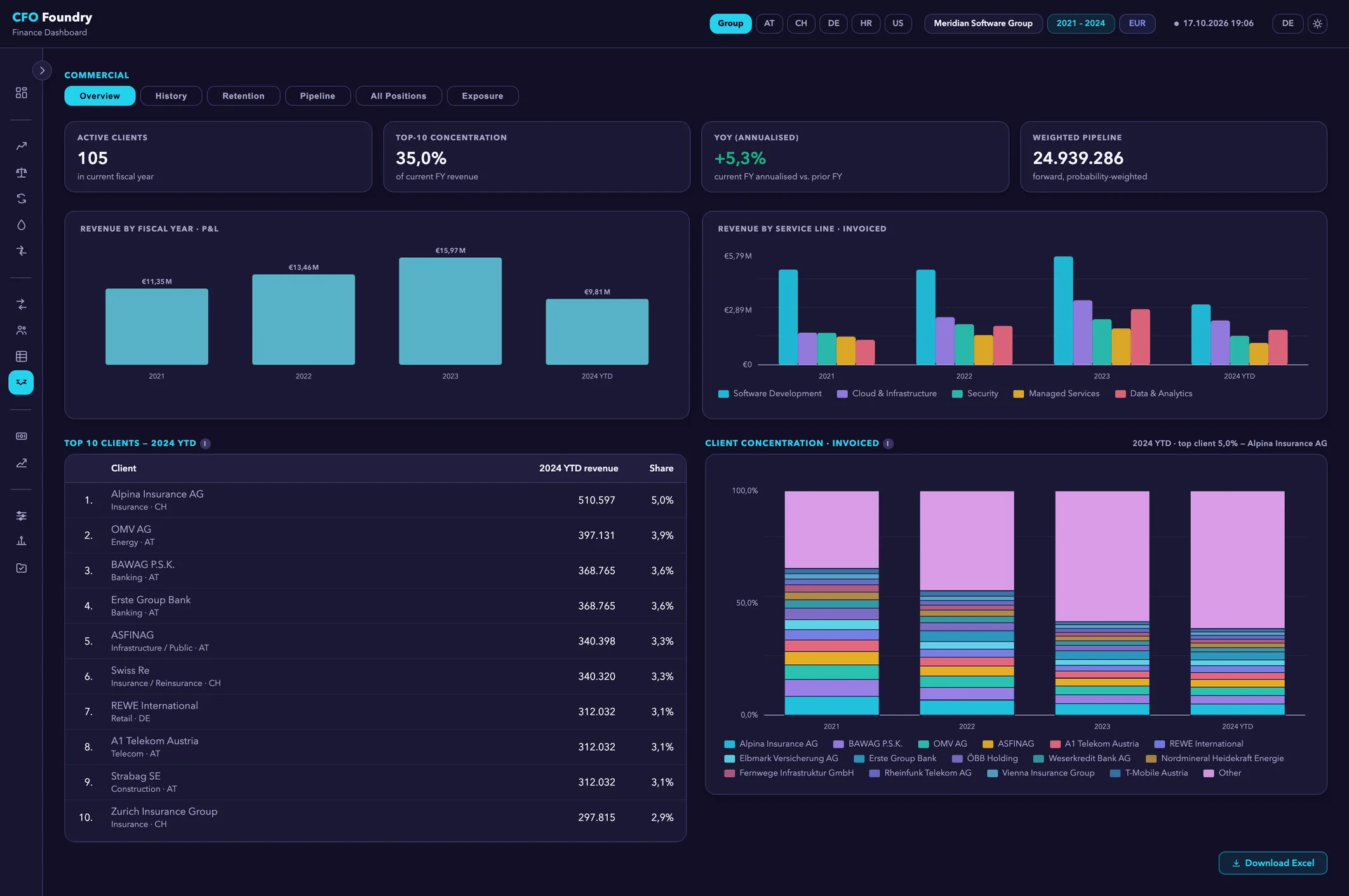
- 4 KPIs
- Commercial · Overview
- TOP 10 CLIENTS
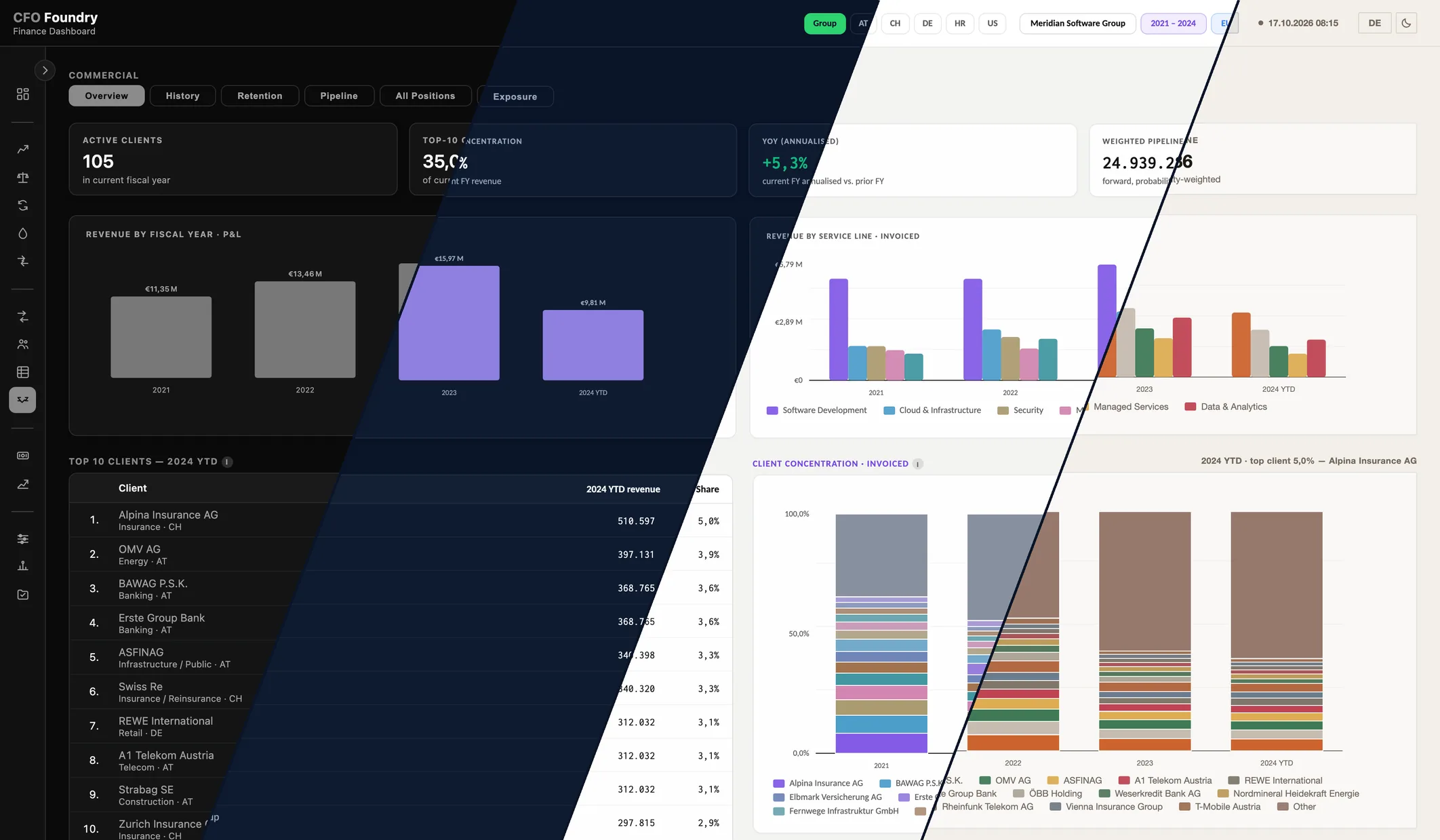
- 4 KPIs
- Commercial · Overview
- TOP 10 CLIENTS
Meridian is a fictional demo company. All figures are sample data.
Key questions
Can the reports carry the company's own design?
Yes. Colours, surfaces, corner radii, chart colours and type are set per company in the operator app's Design screen, and every report takes them on its next build.
Where does a design start?
From a shipped preset, from the built-in design or from a design-tokens file exported from Figma. The result can be saved as a preset of the company's own.
Do the status colours keep their meaning?
Yes. Red, amber and green state negative, caution and positive in every design, so a reader learns them once.
Your design, in every report
The company sets its own design in the operator app: colours, surfaces, corner radii, chart series and font, token by token or from a Figma tokens file. Every report takes it on its next build, and readers switch between dark and light.
Platform
- Design: The company's own look, from a shipped preset or token by token, in dark and light; red, amber and green keep their meaning.
What a design sets
The Design screen in the operator app lists every token in groups, each with a picker or a value:
- Colours: the accent, for dark and light mode each, and an informational and a secondary colour
- Surfaces: page, top bar, sidebar, card, border and text, for dark and light mode
- Alert colours: the tone of green, amber and red, for dark and light mode, each within the hues of its meaning
- Chart colours: a main, a second and a neutral colour, from which every chart colour is made for both modes
- Corner radii: from cards and panels down to badges
- Type: a text face and a number face carried inside the report, and a font stack behind them
Each changed token is marked and can be reset on its own. A preview shows the design as it is set.
Where a design starts
Six shipped presets are a starting point: Foundry, Ink & Copper, Monochrome, Nordic, Sharp and Sand & Terracotta. A preset sets the whole look in one click, and the tokens stay open for changes on top. Any design can be saved as a preset of the company's own.
A design-tokens file, such as Figma variables exported with a tokens plugin or a Tokens Studio export, can be imported. Before anything is written, the screen lists what each variable would set; the import then replaces the current design or is layered over it.
Every report, dark and light
The design belongs to the company and is kept with its settings. Every report takes it on its next build.
Readers switch each report between dark and light mode, and the browser remembers the choice for the next report. The surfaces, the accent and the alert colours are set for each mode, and the chart colours are made for each mode from the same three. Radii and type serve both.
Status keeps its meaning
Red, amber and green are the traffic light: a loss, an overdue receivable, a favourable variance. They mean the same in every report, whatever its design. A design may tune their tone, never their meaning. The accent is a brand colour and free to choose; good and bad are drawn in the traffic light.
Chart colours follow roles: the figure a chart is about, a measure beside it, what it is held against, such as the prior year or the budget, and the forecast, drawn lighter. Splits such as service lines, clients or entities take the categories in order. Red, amber and green appear in a chart only where it judges, such as a loss year or an adverse step in a bridge.
Terms
- Design Token
- One named setting of a design, such as the accent colour, the card surface or the font. A design is the set of tokens that differ from the built-in one.
- Design Preset
- A whole design under a name. Six ship with CFO Foundry, and a company can save its own.
- Traffic Light
- Red, amber and green for negative, caution and positive, the same in every report and every design.
Data sources
- The company's design, kept with its settings
- The shipped presets and the company's saved ones
- A design-tokens file, when one is imported
FAQ
Do the Excel workbooks follow the design?
The workbooks and the PowerPoint decks keep their standard format. The design applies to the reports.
Is there a look for printing?
Monochrome uses greys only, and Sharp has square corners and high-contrast charts. Both keep red, amber and green for status.
Get in touch
Describe your situation in a few lines. A reply typically follows within 1–2 business days.
To the Contact Form