Excel workbooks for the management accounts
Each module writes its own workbook into the data room, with the figures of the page it comes from and totals a reader can recalculate.
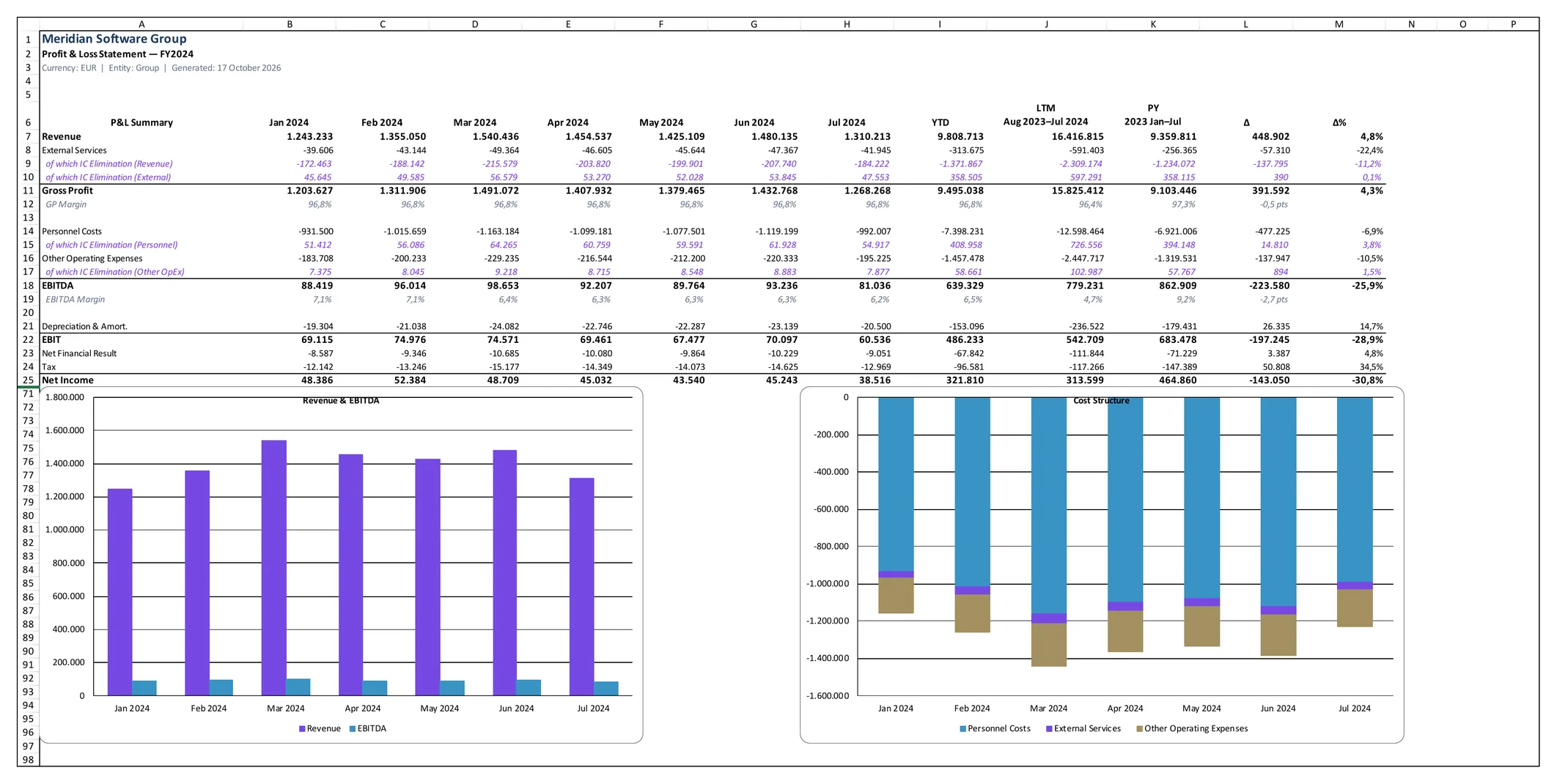
Meridian is a fictional demo company. All figures are sample data.
Key questions
Can the figures be worked on in Excel?
Every workbook is a native .xlsx file with a Summary and a Detail sheet, down to the account where the module has accounts.
Do the workbooks match the report?
They are written in the same build, from the same computation, so the workbook and the page state the same figure.
Can a total be checked?
A total is a formula over the rows it totals, and a ratio a formula over the cells beside it.
Native Excel export for every module
Each module writes an .xlsx workbook with Summary and Detail sheets. A total is a formula over the rows it totals, and every figure matches the page it comes from. Tables and charts in the report copy straight into Excel, and each opens full screen.
Platform
- Excel Workbooks: A workbook per module; every total is a formula and every figure matches its page.
The workbooks
Every report build writes the workbooks for each entity and for the group:
- Profit and loss: the monthly statement with year to date, LTM in a part year, prior year and the change, and the EBITDA adjustments on a sheet of their own
- Balance sheet: every line with the accounts behind it
- Net working capital: categories by month, the twelve-month average and the bridge to the prior year
- Cash flow: the indirect-method statement with the reconciliation to closing cash
- Workforce: headcount, FTE and hours by department, delivery economics, talent and the roster
- Revenue and clients: concentration, revenue by client and year, mix, retention and the reconciliation to P&L revenue
- Transaction: the bridge from enterprise value to equity value and the positions behind net debt
- Quality of earnings: reported EBITDA, the adjustments by category and year, the monthly trail and each adjustment's rationale and source
The statements come one workbook per fiscal year. The transaction, revenue and quality of earnings workbooks span every year, because their figures reach across years. A contents workbook lists every file with the year it covers and a link to it.
Formulas and values
Arithmetic over the workbook's own cells is a formula. A balance sheet line is the sum of its accounts, a section the sum of its lines, and the Summary sheet reads its figures from Detail. Margins, changes and shares are formulas over the cells beside them, so a reader can change a cell and watch it carry through.
A calculation over the history, such as a day count, the twelve-month average or an LTM across the year boundary, is the engine's value with its method named and, where the sheet can hold them, its inputs beside it.
In the data room, rebuilt with every report
The workbooks are files in the data room's financial section, one folder per entity and one for the group. They are written with every build, so a workbook always carries the figures of the report built with it, and a workbook the build no longer writes is removed.
Download Excel under the P&L, Balance Sheet, NWC, Cash Flow, Workforce, Commercial and Transaction views opens the matching workbook when the report sits beside its data room. With logins, Excel downloads are granted per reader.
In German or English, with two decks
The workbooks are written in the company's report language, English or German, sheet names included. Labels are translated; a client's or an account's name stays as the data holds it, and every figure keeps the report's number format.
Two PowerPoint decks are written with the group's workbooks, in the same language. The Board Deck states the dashboard's month. The M&A deck runs from an executive summary through earnings, clients and the pipeline to the balance sheet, cash, valuation and people. Every figure on a slide is one the report computes.
Copy and full screen
Every large table and chart in the report has small buttons in its corner. Copy data puts the figures on the clipboard as tab-separated text, ready to paste into Excel or Google Sheets. Copy image puts a chart on the clipboard as an image at double resolution, for a slide or an email. Full screen opens the table or chart on its own, and Esc closes it.
Terms
- Summary Sheet
- The headline rows of a module by month, with its charts.
- Detail Sheet
- Every line, and where the module has them, every account.
- Contents Workbook
- A workbook listing every generated file of an entity or the group, with links.
- Data Room
- The folder structure that holds the company's source files and the generated workbooks.
Data sources
- The same computed figures as the report, in the same build
- The monthly trial balances and the account mapping, for the account lists
- The statement layout, so line names and order follow the report
FAQ
Are the Excel figures the same as the report's?
Yes. The workbooks are written in the same build from the same computation.
Do the workbooks contain formulas?
Totals, subtotals, margins, changes and shares are formulas. Calculations over the history, such as day counts or a twelve-month average, are values with their method named.
Where are the workbooks kept?
In the data room, beside the source files, one folder per entity and one for the group. They stay with the company as ordinary files.
Get in touch
Describe your situation in a few lines. A reply typically follows within 1–2 business days.
To the Contact Form