Report logins: a sealed copy for every reader
Each reader opens the report on a dashboard of their own, in a copy encrypted for them alone.
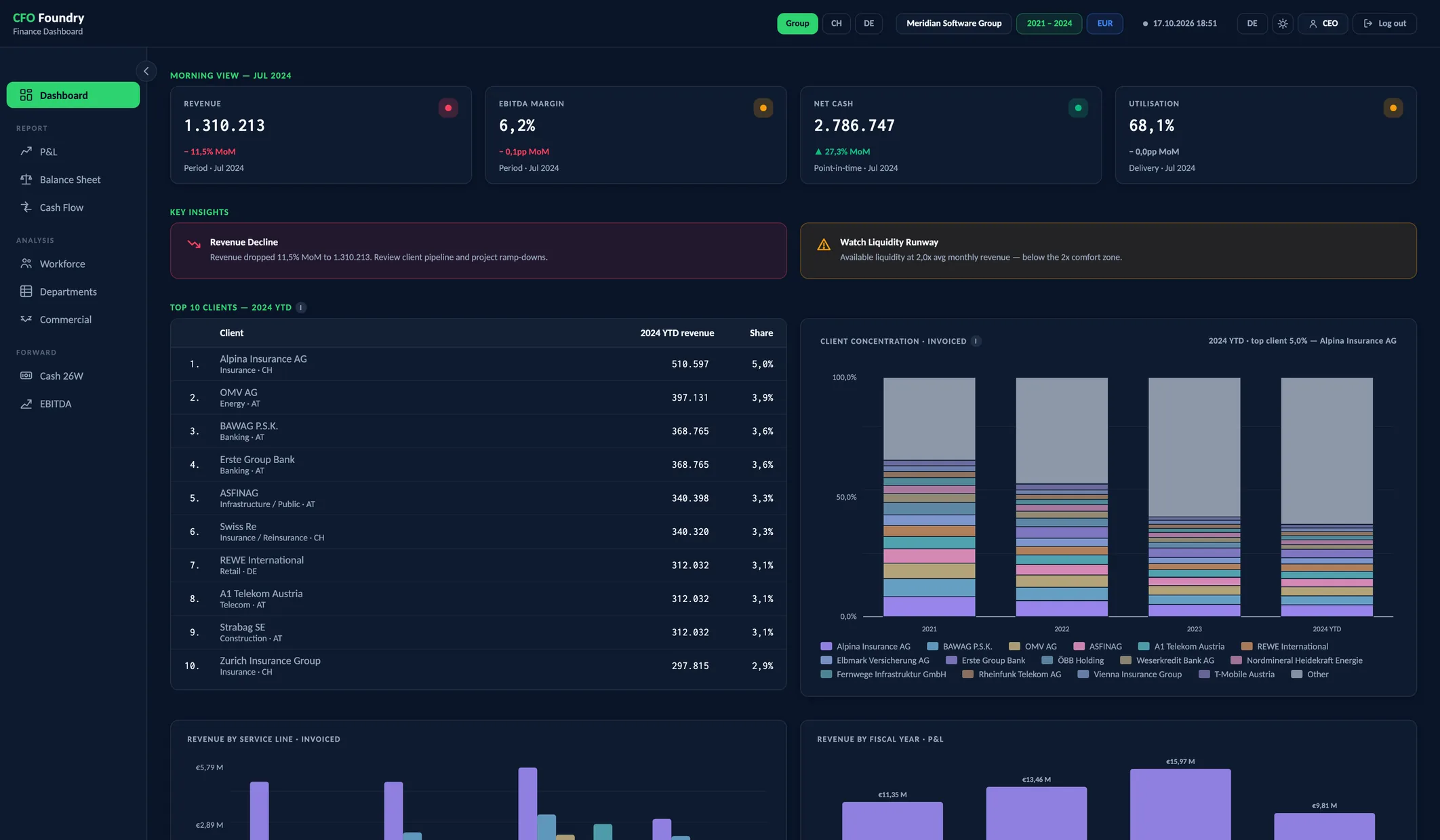
- Signed in as CEO
- CEO Flash
- Only the views granted
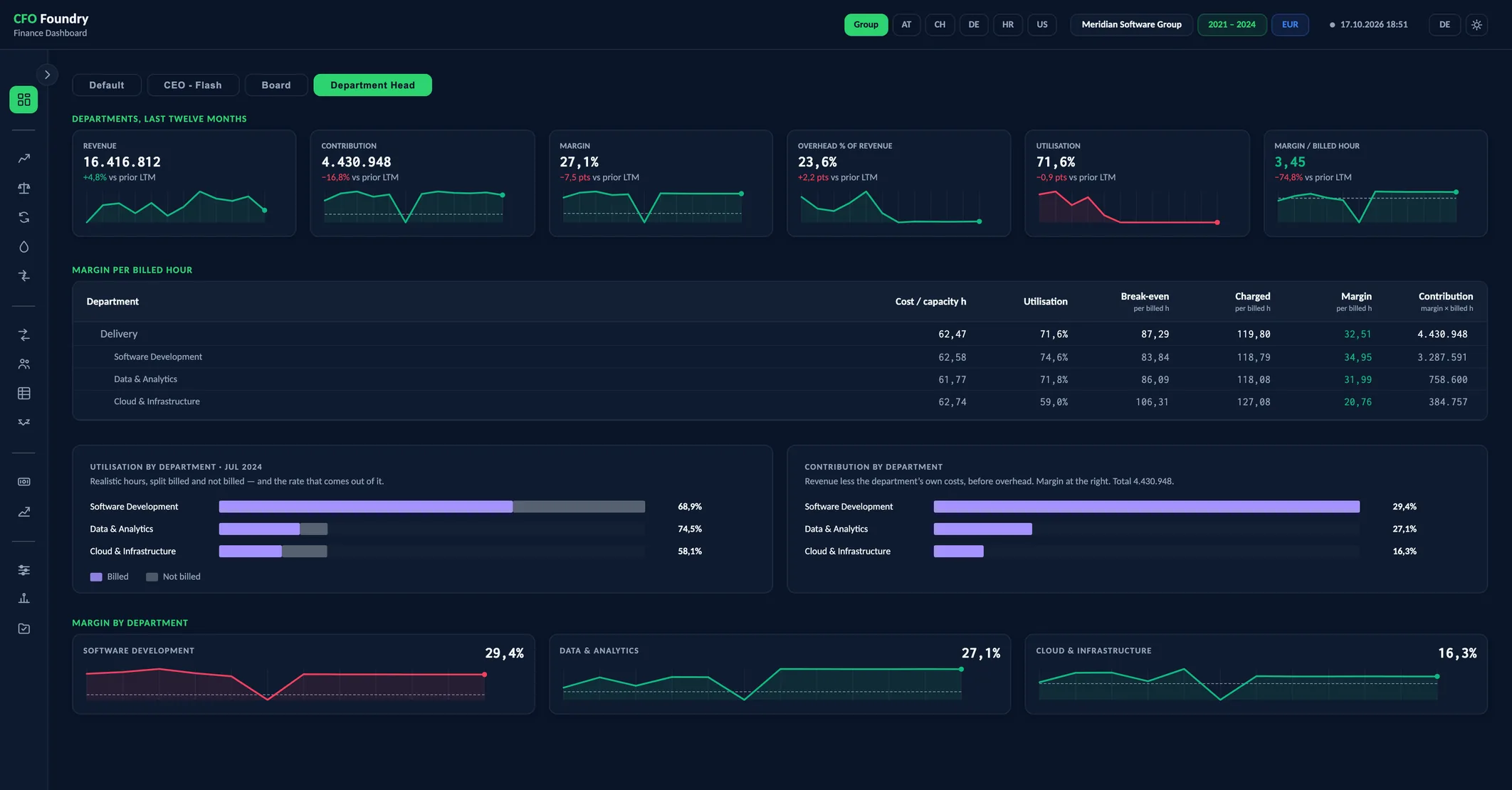
- Departments, last twelve months
- Margin per billed hour
- Margin by department
- What a reader sees first
Meridian is a fictional demo company. All figures are sample data.
Key questions
What does a reader see first?
Their own dashboard: the report's Default, or one built for them from the report's sections.
What is in a reader's copy?
The views, dashboard and entities granted to them. Everything else is taken out of the file.
What does a reader need?
The file, their password and a current browser. The report opens straight from disk.
A Dashboard and a Sealed Copy per Reader
Each reader opens the report on a dashboard of their own, built from the report's sections: CEO Flash, Board, Department Head or one set up for them. Their copy is encrypted for them and holds the views and entities granted; everything else is taken out of the file.
Platform
- Logins per Reader: A login per person, each opening a sealed copy cut to that person's views.
A Dashboard per Reader
A dashboard is built from sections of the report's own panels: a row of KPI cards, the key insights, the top ten clients, a chart from any view. Each panel appears exactly as on its home view, with the figures of the same build.
Three come ready: CEO Flash, Board and Department Head. Others are set up once in the operator app, on the Dashboards screen, and every build fills them with the latest figures.
A reader sees a panel only when they may see the view it comes from. A section with no panel left for them is left out, title and all.
One File, Sealed per Reader
As soon as one reader is set up, every report opens on a login page. Behind it the file holds an encrypted copy for each reader granted that report, and each password opens only its own copy.
A copy holds what was granted. A view outside the grant, the figures behind it, the other dashboards and the buttons to other entities' reports are taken out of it. The file does not list its readers.
After one login, the entity buttons open the other reports granted to the same reader without asking again. With no readers set up, every report opens for anyone who has the file.
Who Sees What
Readers are set up in the operator app. For each one:
- The reports they may open: the group's and any entity's
- Their dashboard: Default or one built for them
- The views in their menu
- A password, typed or generated
- Whether their copy links to the Excel workbooks in the data room
Changing what a reader sees keeps their password. A change applies to the reports built afterwards.
Terms
- Reader
- A person set up to open the reports, with a name, a password, a dashboard and the views and entities granted.
- Custom Dashboard
- A reader's first page, built from sections of panels the report already has, each as on its home view.
- Section
- A row of a custom dashboard: an optional title over one to four slots, each slot one panel.
- Sealed Copy
- One reader's encrypted copy of a report inside the report file, holding only what was granted to them.
Data sources
- The readers set up in the operator app, with their reports, dashboard, menu and password
- The dashboards built in the operator app
- The reports of the build, one file per entity and one for the group
FAQ
Can different people see different parts of one report?
Yes. Each reader's copy holds the views, dashboard and entities granted to them, so a department head and the board open the same file and see different reports.
Can each reader have their own dashboard?
Yes. A dashboard is put together from the report's own sections in the operator app and given to one reader or several.
What happens when a reader is removed?
The next build holds no copy for them. A file handed out earlier keeps the copies it was built with.
What happens when a password is lost?
A new password is set in the operator app and the reports are built again. A file handed out earlier keeps the password it was built with.
Get in touch
Describe your situation in a few lines. A reply typically follows within 1–2 business days.
To the Contact Form